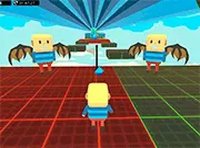
Ninja Action Arcade Game
Reviews
Description
Game Introduction
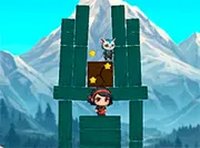
Squid Ninja Action Game Online - Arcade Game is a browser-based skill game where players control a nimble ninja character. The core objective is to eliminate enemies by throwing the ninja at them, collect keys to advance through levels, and gather ninja stars for points. The game combines precision aiming with platform navigation, requiring players to stay on platforms and avoid falling. Its simple yet engaging mechanics make it accessible for players of all ages, offering a fun arcade experience directly in the browser without any downloads.
How to Play
Players use mouse controls to aim and click to throw their ninja character toward enemies. The goal is to destroy all foes on each level to obtain a key that unlocks progression. While playing, collect ninja stars to earn points and currency, which can be spent in the in-game shop for upgrades. Staying on platforms is crucial, as falling off edges ends the attempt. The game is designed for desktop play, and full-screen mode can be enabled for a more immersive experience. Controls are simple, focusing on timing and accuracy.
Game Features
Key features include fun ninja-themed action with aiming mechanics, an upgrade shop where players can spend earned currency on various items, and free browser-based play with no download required. The game uses simple mouse controls for easy aiming and includes a full-screen mode. It is suitable for quick gaming sessions, making it ideal for short breaks. The skill-based gameplay rewards precision and strategic upgrades, offering a satisfying challenge for casual players.
Tips for Success
To succeed, practice your aim to throw the ninja accurately at enemies, as precision is key. Collect as many ninja stars as possible to accumulate currency for upgrades, which can make later levels easier. Always be aware of platform edges and avoid unnecessary movement that could lead to falls. Upgrade your character wisely in the shop, focusing on items that improve your throwing or survival. Take your time on each level to plan your throws and eliminate enemies efficiently.