Cosmic Egg Quest: A Retro Action RPG
Reviews
Description
Core Gameplay & Controls
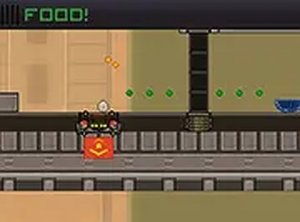
Players take on the role of a small duck egg that has been transported to an alien environment. The objective is straightforward: guide the egg through each stage without breaking it. Using keyboard or mouse inputs, players move the egg across platforms, dodge moving hazards, and collect scattered items that boost the egg's resilience. The controls are responsive and simple to learn, allowing players to focus on timing and precision. Each level introduces new obstacle patterns that require careful observation and quick reactions. The game runs directly in a web browser and supports full-screen mode for a more immersive view.
Visual Style & Atmosphere
The game embraces a retro pixel art aesthetic that recalls classic arcade titles from the 8-bit and 16-bit eras. Colorful sprites and animated backgrounds create a lively, whimsical world that feels inviting rather than threatening. The cheerful soundtrack complements the visuals, using upbeat melodies that keep the mood light even when challenges arise. This combination of art and sound makes the game suitable for players of all ages, including younger audiences who may be new to action games. The overall presentation is polished without being overly complex, focusing on charm and clarity.
Progression & Difficulty Curve
As players advance, they encounter increasingly complex obstacle courses that demand better timing and spatial awareness. Early levels serve as tutorials, teaching basic movement and item collection. Later stages introduce moving platforms, timed gates, and hazards that shift patterns unpredictably. The difficulty ramps up gradually, ensuring that players have time to build confidence before facing tougher sections. Items collected along the way provide temporary advantages, such as shields or speed boosts, which help manage the rising challenge. This progression system keeps the experience engaging without becoming frustrating.
Replay Value & Session Design
The game is designed for short play sessions, making it ideal for quick breaks or casual gaming. Each level can be completed in a few minutes, and the lack of a complex story means players can jump in and out without losing context. The level-based structure encourages replaying earlier stages to improve item collection or achieve faster completion times. For players who enjoy mastering mechanics, there is satisfaction in learning hazard patterns and perfecting routes. The family-friendly nature and lack of violent content make it a safe choice for shared screens or younger players.







Comments
Sign in to comment
You must be logged in before posting a review or rating.
No account? Create one
No comments yet. Be the first to comment!