Colorbox Puzzle - Block Puzzle Game
Reviews
Description
Game Introduction
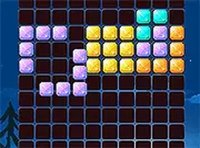
Colorbox Puzzle is a delightful block puzzle game inspired by classic Tetris mechanics, designed to challenge your strategic thinking. The core objective is to use available blocks to match and form perfect shapes, clearing the board for a satisfying win. The puzzles are imaginative and engaging, offering a fresh twist on traditional block-matching gameplay. This free, browser-based game is suitable for all ages and can be enjoyed on both mobile devices and desktop computers, providing hours of brain-teasing fun in a colorful world.
How to Play
To play Colorbox Puzzle, you drag and drop blocks onto a grid to match target shapes. You need to plan your moves carefully to fill the board completely. If you make a mistake, you can use the undo feature to revert your last action and refine your approach. The game ends when you successfully create the perfect shape or run out of moves. No downloads are required—just open your browser and start playing. The intuitive controls make it easy for players of all ages to jump right in.
Game Features
Colorbox Puzzle includes fun Tetris-based block puzzles with an undo move feature that allows you to correct mistakes and refine your strategy. It is free to play and compatible with both mobile devices and desktop computers. A full screen mode is available for an immersive experience. The game offers a relaxing yet challenging puzzle experience that sharpens your mind, with simple mechanics and a colorful design that makes it perfect for quick breaks or extended play sessions.
Tips for Success
To succeed in Colorbox Puzzle, take your time to plan each move before placing blocks. Use the undo feature to experiment with different placements and learn from mistakes. Try to fill the board in a way that leaves space for larger blocks. Practice regularly to improve your spatial reasoning and pattern recognition. If you get stuck, step back and look at the board from a different perspective. These strategies will help you clear the board more efficiently and enjoy the game to its fullest.