Ludo Classic Family Board Game
Reviews
Description
Game Introduction
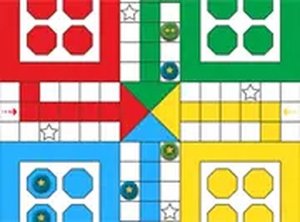
Ludo Classic Family Board Game brings the timeless family board game to your screen. The core objective is to move all four of your tokens from the starting area to the center of the board. Up to four players can participate, each choosing a color. The game is a race of luck and decision-making, offering a familiar and relaxing experience suitable for all ages. It is ideal for families, friends, or solo play against computer opponents. The game faithfully implements classic board game rules, providing a nostalgic experience for those who grew up playing Ludo. The simple and intuitive interface makes it easy for anyone to start playing instantly. The game supports up to four players, either locally with friends or against computer opponents. It is free to play online with no download required. The interface works on both desktop and mobile devices. A full-screen mode is available.
How to Play
To play, first select the number of players, up to three friends or computer opponents. Each player picks a color and places their tokens at the start. The first player rolls the dice. A roll of six allows you to move a token out onto the board. After that, move your tokens clockwise according to the dice number. If you land on an opponent's token, that token returns to its start. You must roll a six to enter a token and you get an extra turn. The first player to move all four tokens to the center wins.
Game Features
Classic board game rules are faithfully implemented. The game supports up to four players, either locally with friends or against computer opponents. It is free to play online with no download required. The interface works on both desktop and mobile devices. A full-screen mode is available. The simple and intuitive interface makes it easy for anyone to start playing instantly.
Tips for Success
Focus on moving all your tokens around the board efficiently. Use a roll of six strategically to enter new tokens or advance key tokens. Pay attention to opponent positions to avoid having your tokens sent back to start. Balancing risk and reward when deciding which token to move can improve your chances. Practice regularly to get a feel for the game's flow and develop your own strategies.










Comments
Sign in to comment
You must be logged in before posting a review or rating.
No account? Create one
No comments yet. Be the first to comment!