Beat Tapper Harmony

Reviews
Description
Core Gameplay Loop
Beat Tapper Harmony places you in a vibrant musical world where success depends on your ability to match on-screen arrow prompts with the underlying beat. As each song progresses, arrows scroll toward a target zone above your character. Pressing the corresponding directional key at the precise moment of alignment keeps your performance meter full. The challenge escalates with faster tempos and more complex arrow sequences, demanding sustained attention and quick reflexes.
Two Distinct Play Modes
The game offers two primary ways to play. Story mode presents a curated sequence of songs, each with its own visual theme and difficulty curve, allowing players to progress through a light narrative framework. Free play mode lets you jump into any unlocked song at your preferred difficulty, making it ideal for practicing specific tracks or enjoying a casual session without commitment. Both modes track your accuracy and provide feedback after each performance.
Visual and Audio Design
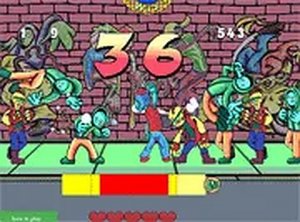
The game employs bright, cheerful colors and simple character animations that keep the focus on the gameplay. Each musical track features an upbeat, family-friendly melody that complements the arrow-matching action. The interface is clean, with clear indicators for your current performance status and remaining song length. This design philosophy ensures that players remain immersed in the rhythm without unnecessary distractions.
Accessibility and Skill Building
Beat Tapper Harmony is built for gradual skill development. Early songs introduce basic arrow patterns at moderate speeds, giving newcomers time to acclimate. Later tracks incorporate faster sequences and occasional off-beat prompts that test more advanced timing. The game encourages repeated attempts by providing clear feedback on missed notes and overall accuracy, helping players identify areas for improvement. This structured difficulty curve makes the game approachable for beginners while offering enough depth to keep experienced players engaged.





Comments
Sign in to comment
You must be logged in before posting a review or rating.
No account? Create one
No comments yet. Be the first to comment!